If your business is not showing up when people search on Google, you are silently losing customers to competitors who did one simple thing right — they created and optimized their Google Business Page.
Whether someone searches for “best café near me”, “digital marketing agency in Delhi”, or “salon open now”, Google shows local business listings before normal websites. That’s where your Google Business Page becomes your biggest sales machine.
In this guide, you will learn what a Google Business Page is, why it matters, how to create one, and how to optimize it to get more calls, visits, and conversions.
What Is a Google Business Page?
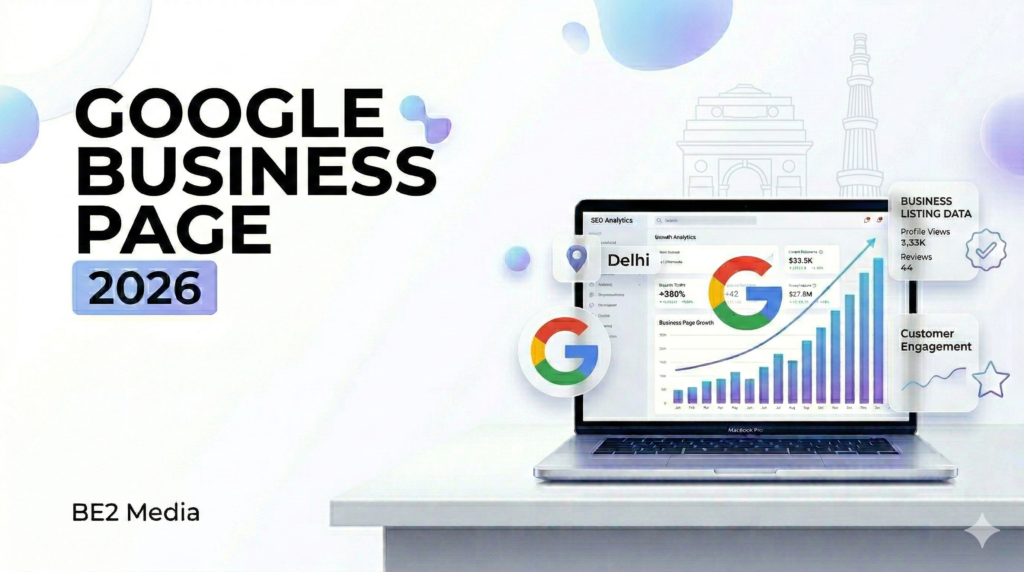
A Google Business Page (also known as a Google Business Profile) is a free listing that allows your business to appear on:
- Google Search
- Google Maps
- Local “near me” results
It displays important information like:
- Business name
- Address
- Phone number
- Website
- Working hours
- Reviews
- Photos
- Services
Think of it as your mini-website inside Google — and the best part is that customers see it before they even visit your actual website.
Why a Google Business Page Is Important for Your Business
1. You Appear in Local Searches
Most buyers search on Google before making a purchase decision. If your Google Business Page is optimized, you show up when customers are ready to buy.
2. Builds Instant Trust
People trust businesses with:
- High ratings
- Good reviews
- Real photos
- Updated information
No listing = no credibility.
3. More Calls, More Website Clicks, More Walk-ins
Your profile has direct buttons for:
- Call now
- Get directions
- Visit website
That means zero friction for customers.
4. Completely Free Marketing Tool
You don’t need ads to start getting visibility.
How to Create a Google Business Page (Step-by-Step)
Step 1: Go to Google Business Profile
Sign in with your business Gmail account.
Step 2: Enter Your Business Name
Use your real business name — do not stuff keywords.
Step 3: Choose the Right Business Category
This is one of the biggest ranking factors.
Step 4: Add Your Location
You can:
- Show your physical address
OR - Select service area business
Step 5: Add Contact Details
- Phone number
- Website
Step 6: Verify Your Business
Verification usually happens through:
- Postcard
- Phone
- Video verification
Once verified, your Google Business Page becomes live.
How to Optimize Your Google Business Page for Higher Rankings
Creating the page is easy. Ranking it is where the real game begins.
1. Add Complete Business Information
Profiles that are 100% complete get more visibility.
Make sure you fill:
- Business description
- Services
- Products
- Attributes
- Opening date
2. Use Your Focus Keyword Naturally
Include Google Business Page and your main services in:
- Business description
- Posts
- Updates
But keep it natural — no keyword stuffing.
3. Upload High-Quality Photos Regularly
Add real images of:
- Your office/store
- Your team
- Your work
- Before/after results
Businesses with photos get significantly more engagement.
4. Collect and Reply to Reviews
Reviews are a top local ranking factor.
Pro tip:
- Ask every happy customer for a review
- Reply to all reviews (positive & negative)
5. Post Weekly Updates
Most businesses create a profile and forget it.
Post regularly about:
- Offers
- New services
- Events
- Tips
- Case studies
This signals Google that your business is active.
6. Add Services & Products with Keywords
Each service you add is another chance to rank in search.
Common Mistakes to Avoid
❌ Using a fake business name with keywords
❌ Choosing the wrong category
❌ Not updating business hours
❌ Ignoring reviews
❌ Uploading stock images instead of real photos
❌ Creating the profile and never posting again
These mistakes kill your visibility.
Benefits of a Well-Optimized Google Business Page
When optimized correctly, your Google Business Page can:
✔ Rank in the top 3 local results
✔ Generate daily leads without ads
✔ Increase store visits
✔ Build strong brand trust
✔ Improve your website traffic
✔ Boost overall SEO performance
It becomes your 24/7 automated salesperson.
Google Business Page for Different Types of Businesses
Local Stores & Restaurants
Get walk-in customers through “near me” searches.
Service-Based Businesses
Show your service areas and generate direct calls.
Agencies & Freelancers
Build authority with reviews, case studies, and regular updates.
E-commerce Brands
Use it to build brand trust and customer support visibility.
Advanced Tips to Beat Your Competitors
If you want real growth (not just a basic listing), do this:
- Add booking or appointment links
- Enable messaging
- Add FAQs in Q&A section
- Use local keywords in posts
- Geo-tag your real images
- Get consistent reviews every week
Consistency = higher rankings.
How a Google Business Page Helps in Local SEO
Your Google Business Page directly impacts:
- Google Maps rankings
- “Near me” visibility
- Voice search results
- Mobile search conversions
That means even if your website is new, you can still rank locally.
At Be2 MEdia, we don’t just create a Google Business Page — we turn it into a lead generation engine.
We help local businesses rank in the top 3 Google Map results, where the real customers are searching and taking action.
💼 What We Do
Our Google Business Page optimization service includes:
- Complete profile setup & verification
- Keyword-optimized business description
- Primary & secondary category targeting
- Service and product listing optimization
- High-converting image SEO
- Review generation strategy
- Weekly Google posts
- Local SEO geo-targeting
- Q&A optimization
- Spam competitor audit
🎯 Why Businesses Choose Us
Because most agencies:
❌ Just create your listing and disappear
❌ Don’t optimize for rankings
❌ Ignore conversion strategy
We focus on:
✔ Ranking your Google Business Page
✔ Increasing calls & direction requests
✔ Generating real local leads
📍 Perfect For:
- Local service businesses
- Clinics & salons
- Restaurants & cafés
- Real estate consultants
- Digital marketing agencies
- Freelancers & consultants
🚀 Real Results You Can Expect
With a properly optimized Google Business Page:
- More visibility in “near me” searches
- Consistent inbound calls
- Higher trust with 5-star reviews
- More website clicks
- More walk-in customers
📞 Want Your Business to Rank on Google Maps?
If your competitors are showing up above you, it’s not luck — it’s optimization.
Let our team build and rank your Google Business Page so your customers find you first — not your competition.
👉 Contact us today for a free audit of your Google Business Page.
Final Thoughts
A Google Business Page is no longer optional — it is the foundation of local digital marketing.
If your competitors are getting more calls, more leads, and more walk-ins, chances are their profile is better optimized than yours.
The good news?
You don’t need a big budget.
You just need the right strategy, consistency, and optimization.
Set it up once, optimize it properly, and it will keep bringing customers to your business every single day.
Is a Google Business Page free?
Yes, creating and managing a Google Business Page is completely free.
How long does it take to verify a Google Business Page?
Verification usually takes a few days, depending on the method selected.
Can I rank on Google without a website using a Google Business Page?
Yes, a well-optimized profile can rank in local search results even without a website.
How do I get more reviews on my Google Business Page?
Ask satisfied customers directly and share your review link through WhatsApp, email, and SMS.
How often should I post on my Google Business Page?
At least once a week to keep your profile active and improve visibility.